Cancelly
Never forget another free trial.
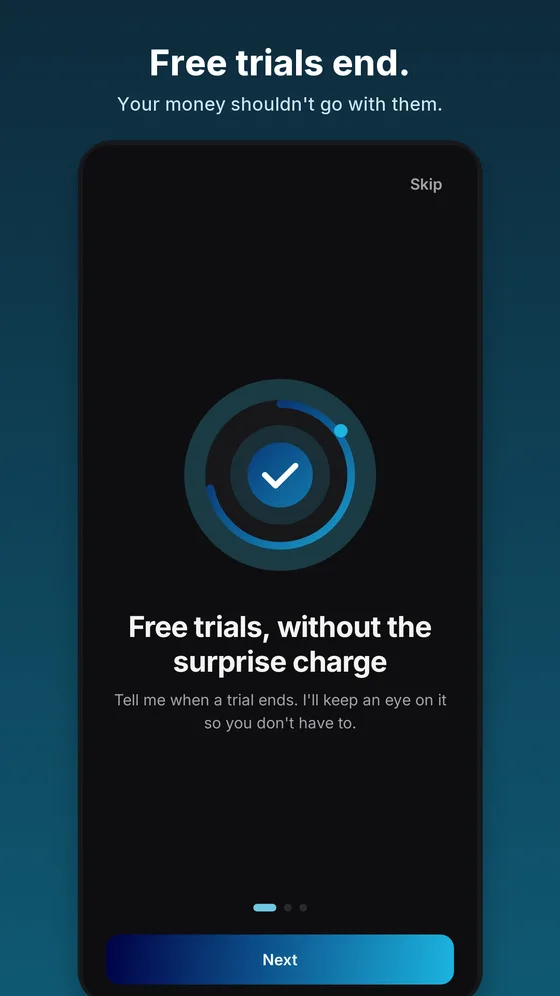
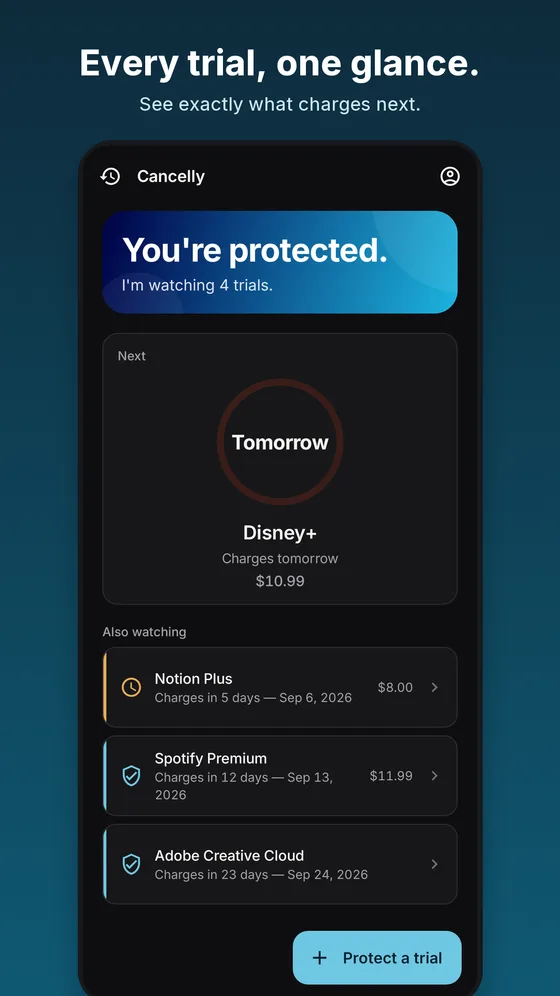
Free trials are easy to start and easy to forget. Cancelly keeps track of the day each one turns into a paid charge and gives you a heads-up before it happens, while there is still time to decide.
- AndroidComing soon
- iOSIn development
Coming soon to Google Play
Get support
It does one job: trial reminders. It is not a budgeting app, it never connects to your bank, and it does not cancel anything for you. It makes sure you hear about a trial before the trial becomes a bill.
How it works
Add it once. Hear about it in time.
Step 1: Add the trial
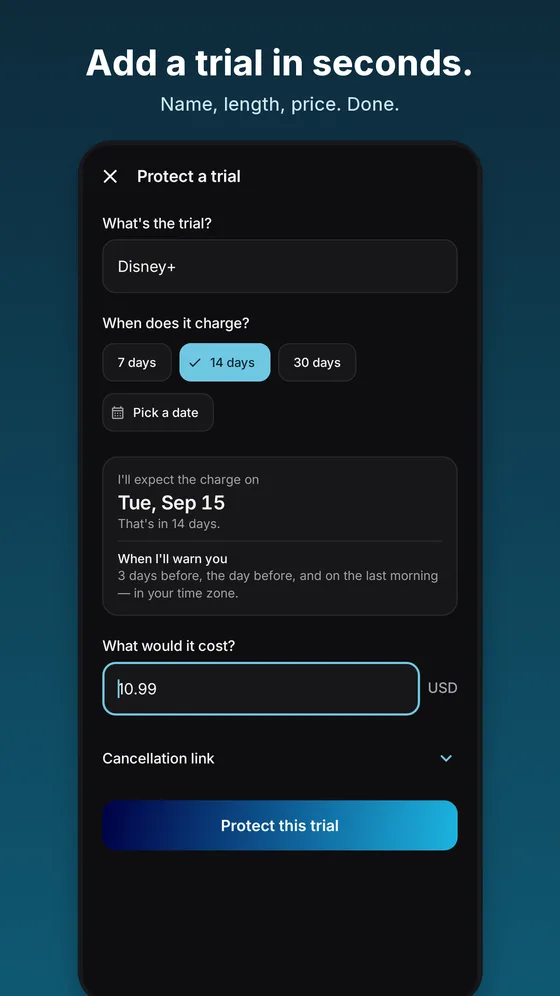
Type in the name and the day it turns into a charge, which takes about ten seconds. Or forward the “your trial has started” email and Cancelly reads the dates for you.
Step 2: Get a heads-up
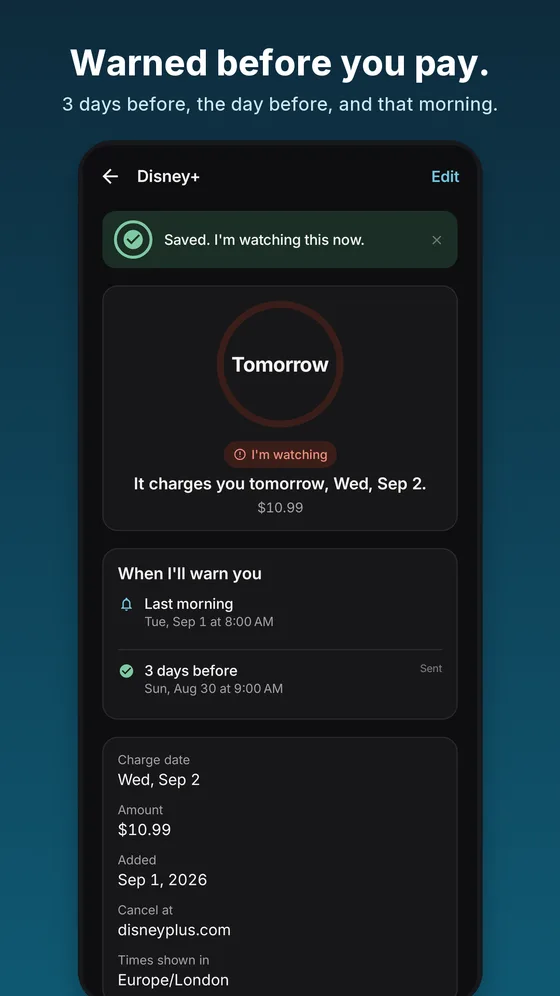
Cancelly holds the date so you don’t have to, and warns you three times: three days before, the day before, and on the last morning.
Step 3: Decide in time
Keep the trial, or cancel it with the service before any money moves. Either way, you choose while there is still time.
Features
What Cancelly does.
Add a trial in seconds
Type the trial’s name and pick when it charges: 7, 14 or 30 days from now, or any date. The price is optional.
Or forward one email
Forward a trial confirmation to your personal Cancelly address and the dates are read for you. Only that email, never your inbox.
Three heads-ups
Three days before the charge, the day before, and on the last morning, so one missed message is not the end of it.
On your time zone
Charge dates and reminders are worked out in your local time zone, not a server’s.
Sign in with a code
No password to create or forget. Cancelly emails you a six-digit code instead.
Delete everything, anytime
Delete your account and everything attached to it from inside the app, whenever you like.
Straight answers
What Cancelly is not, and what it never asks for.
What it isn’t
- Not a budgeting app or an expense tracker. No spending charts, no categories.
- Never asks for your bank login or card numbers.
- Does not cancel subscriptions for you. You stay in control and cancel with the service directly.
Privacy at a glance
What Cancelly uses
- The name of each trial and the date it turns into a charge.
- Your email address, to sign you in and send your reminders.
- In the free version, your device’s advertising ID, used by Google AdMob to show one ad.
What it never asks for
- Your bank login or card numbers.
- Access to your inbox. Cancelly only sees an email you choose to forward.
- Your contacts or your location.
Cancelly, on your phone
Is Cancelly available yet?
Not yet. The Android app is in final testing and will be released on Google Play soon. This page will link straight to the listing once it is live. An iOS version is in development, with no release date yet.
Does Cancelly cancel subscriptions for me?
No. Cancelly reminds you before a trial turns into a charge and helps you get to the right place to cancel, but the cancellation itself happens with the service you signed up for.
Does it need my bank login or access to my email?
No. Cancelly never asks for bank logins or card numbers, and it does not read your inbox. You add trials yourself, or forward a single confirmation email, and Cancelly only reads that one message.
How do I sign in?
With a six-digit code sent to your email address. There is no password to create or remember.
How much does it cost?
Trial reminders are free. The free version shows one small, labelled ad at the bottom of your trial list and nowhere else. Cancelly Premium removes it.
Can I use it for regular subscriptions too?
Yes, you can add an ordinary renewal as well. Cancelly is built for free trials, though, because those are the charges that are easiest to miss.
How do I delete my data?
From inside the app. Deleting your account removes it along with everything attached to it, including your trials. The Cancelly privacy policy has the details.
Is Cancelly a budgeting or finance app?
No. It does not track your spending, connect to your bank or give financial advice. It has one job: telling you about a trial before it charges you.
Need help with Cancelly?
Troubleshooting steps, account help and the fastest way to report a bug are all on the support page.